
Alexa compatible motorised blinds for skylights and windows
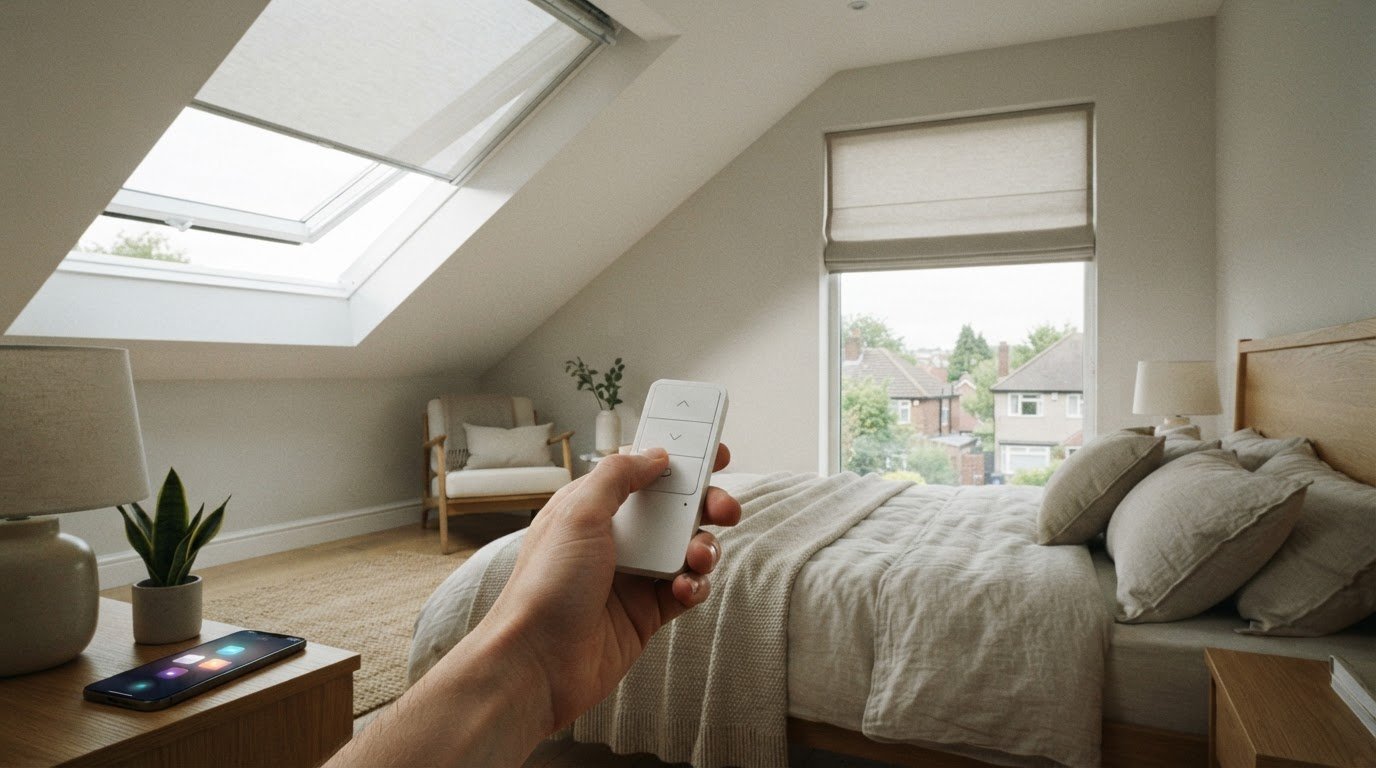
Yes, skylight blinds can be controlled remotely when fitted with a motor and a compatible control system. Alexa compatible motorised blinds need a compatible smart hub for voice control, and the hub requires an internet connection. A standard remote can operate electric blinds without internet.
If your skylight is difficult to reach, remote operation can make adjusting its blind more convenient. The right setup depends on the window’s shape and position, the blind style you prefer, and how you want to control it.
This guide explains how Alexa control works, which motorised styles may suit skylights and other windows, and what installation involves. You’ll also learn what to consider when choosing made-to-measure blinds, so you can plan a solution that fits your room and everyday routine.
Key Takeaways
- Remote operation can make skylight blinds easier to adjust; understand how a standard remote and Alexa control differ before choosing a setup.
- Check the window’s shape, position and access when deciding which electric blind style is likely to suit it.
- Plan the motor and fitting around the blind and window, so the finished installation works smoothly in your space.
- For a tailored fit, explore made-to-measure blinds with professional measuring and fitting support.
Alexa and other smart assistant compatibility
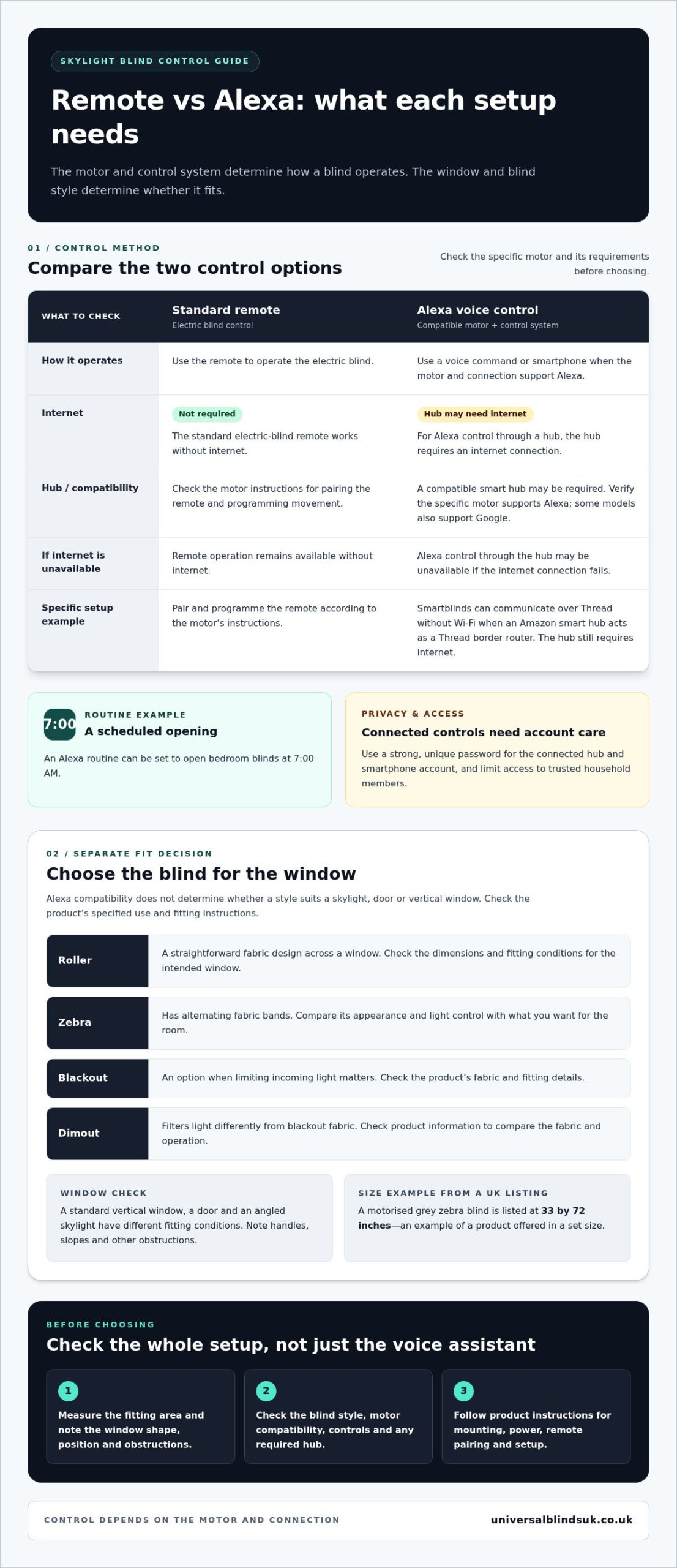
Remote control depends on the blind’s motor and its connection to Amazon Alexa or another smart home system. Check the specific motor’s compatibility and hub requirements before choosing a setup.
Smart Assistant and System Integration
Alexa and other voice assistants control blinds only when the motor and connection support that system. Some motorised models work with both Alexa and Google, but that doesn’t mean every powered roller blind supports both. Check the specific motor’s compatibility and how it fits your existing smart home setup.
Integration can let you use a smartphone or voice command instead of reaching for a control. For example, an Alexa routine can be set to open bedroom blinds at 7:00 AM. Think about which rooms and routines would add comfort, especially for blinds on hard-to-reach skylights or doors.
Motor Compatibility with Alexa
Which motorised blinds work with Amazon Alexa in the UK? Models with motors explicitly compatible with Alexa can connect through the required control system. Some products also support Google, so check compatibility with the named assistant rather than assuming all electric blinds have the same functions.
Smartblinds motors can communicate over Thread without Wi-Fi when an Amazon smart hub acts as a Thread border router. This is a specific setup requirement, not a feature to assume for every Alexa-compatible motor. For a skylight or door, the window type affects the blind choice, while the motor and hub determine smart control.
Hub and Bridge Requirements
Do Alexa-compatible blinds need a hub or bridge? Some setups do. Smartblinds needs an Amazon smart hub that can act as a Thread border router for communication over Thread without Wi-Fi. The hub still requires an internet connection, so distinguish its requirements from the Thread connection between devices.
Privacy, security and reliability matter too. A connected hub and smartphone account bring account and network access considerations. Use a strong, unique password and limit access to trusted household members. If the internet connection fails, Alexa control through the hub may be unavailable, but the standard electric-blind remote works without internet. Choose a control method that suits your routine.
Motor installation and included accessories
Before buying, match the blind’s measurements, fitting position and motor controls to your window. Installation details depend on the blind and motor, so use the product instructions to identify the required fixings, power arrangement and setup steps.
What should you check for window measurements, installation, and compatibility before buying? Measure the width and drop at the intended fitting position, and note whether the blind sits inside or outside the recess. Consider the window’s shape, available fixing surface, motor controls and smart home requirements together.
For skylights and doors, consider how the window opens and whether the blind can move without obstruction. A kitchen window, for example, may have handles or nearby fittings that affect where a blind sits. Note these features before selecting fabrics or a powered option.
Fitting and drilling
Some installations require brackets to be secured to the window recess or surrounding surface, while others use a different fixing arrangement. Follow the product instructions to choose the suitable method. Before drilling, identify the fixing points, check the surface and make sure the blind has room to travel. If you prefer professional installation, a professional fitting service can account for the window and fitting position.
Programming and connectivity
After fitting, follow the motor’s instructions to pair its remote and programme the blind’s movement. The sequence varies by system, so don’t assume controls from different devices work together. If the setup uses a smart hub, allow for its internet connection. The standard electric-blind remote works without internet, giving you a separate control option if internet access is unavailable.
Before you buy, keep a short checklist:
- Measure the intended fitting area and note handles, slopes or other obstructions.
- Read the motor instructions for mounting, power and remote pairing.
- Check that the motor supports your preferred smart-home system and any required hub.
- Decide whether you want to fit the blind yourself or use a professional fitting service.
Careful measuring and a clear fitting plan help align the blind, motor and controls with your window. For a tailored fit, made-to-measure blinds can be considered alongside professional installation.
Electric blind styles and window types
Alexa-compatible electric blinds include roller, zebra, blackout and dimout styles. A UK listing gives a motorised zebra blind in grey at 33 by 72 inches, showing that some options are sold in set sizes.
What types and sizes of Alexa-compatible blinds are available in the UK? Examples include motorised roller, zebra, blackout and dimout blinds, with some products offered in set dimensions. Assess the motor’s Alexa compatibility separately from the blind’s suitability for your window.
For a living room, a roller blind offers a simple fabric design, while a zebra style has alternating fabric bands. Blackout fabric is an option when limiting incoming light matters; dimout fabric filters light differently. Check the product instructions for its fabric, operation and fitting requirements before choosing.
Window shape and position guide the choice. A standard vertical window, a door and a skylight have different fitting conditions, so compare the blind’s dimensions with the space and note any handles or obstructions. A blind intended for a vertical window may not suit an angled skylight. Follow the product’s specified use and fitting instructions.
- Roller: consider this style for a straightforward fabric finish across a window.
- Zebra: compare its alternating bands with the appearance and light control you want.
- Blackout or dimout: choose between these fabric types based on how much light you want to filter.
Sizes vary by product. Some electric blinds are supplied in set dimensions, while made-to-measure options are sized for the individual window. Measure the fitting area carefully and compare it with the blind’s stated width and drop. This is particularly important for skylights, where the opening’s shape and angle affect which blind can fit and operate correctly.
Prices vary by style, fabric, dimensions and motor system, so compare the specification and what the listed price includes. Before ordering, check the measurements, window type, Alexa compatibility and fitting instructions together. This helps ensure the electric blind suits both your windows and your preferred controls.
Alexa and voice-assistant compatibility
Alexa control links voice commands, routines and supported motor functions. The available features depend on how the electric blind connects to the assistant.
Alexa Commands for Blind Control
What Alexa commands can control smart blinds? With a compatible motor, commands can operate the functions supported by its Alexa integration, such as opening or closing the blind. The motor’s capabilities determine whether voice control can do more than basic movement.
Give each blind or group a clear name in the Alexa setup. “Bedroom blinds” is easier to distinguish than several devices labelled “blind”. If a command targets the wrong device, review its name and grouping before changing the motor settings.
Alexa can also work alongside another assistant, such as Google, when the motor supports both. Compatibility with one system doesn’t automatically provide the same functions through another, so match your preferred assistant to the motor’s listed support.
Scheduling Blind Movements
Can Alexa control blinds by room, schedule or percentage open? Room-based control depends on assigning clear names or groups, while scheduled movement can be set through an Alexa routine. A routine can open bedroom blinds at 7:00 AM, giving you a specific example of timed operation.
Set an Alexa routine around the room and action you want, then choose its trigger and timing. For instance, a morning routine can open the bedroom blind at the time you select. This can help with a skylight that’s awkward to reach each day.
Position control depends on whether the motor and Alexa integration support it. If they do, a command can set a selected opening level; otherwise, control may be limited to supported movement commands. Don’t assume every smart hub or motor offers the same controls.
Before choosing a setup, decide which rooms need voice control, whether timed routines matter, and which actions you expect. For blinds sized to your windows, arrange made-to-measure blinds as the next step in planning.
Universal Blinds UK: Made-to-Measure Blinds
Universal Blinds UK can help when a window’s dimensions or fitting position make a tailored blind a practical choice. Its made-to-measure blinds come with a free measuring service and professional fitting, helping you plan around the window’s shape and available fixing space.
For skylights or other less straightforward windows, accurate measurements and considered fitting can help the blind suit the opening. Alexa control depends on the motor and smart home setup, so treat sizing and assistant compatibility as separate decisions.
If you’re choosing blinds for your windows, contact Universal Blinds UK or visit universalblindsuk.co.uk.
Plan a setup that suits your home
Choose your preferred voice controls alongside each room’s practical needs. A skylight, bedroom window and living-room door may call for different window coverings, so consider how each opening is used and what you want its covering to do. Alexa compatibility depends on the motor and smart home system, while fit and style shape the room’s finished look.
Universal Blinds UK offers made-to-measure blinds, custom shutters and a free measuring service to help you plan around your windows. Bringing together your measurements and preferred style can make the next step clearer.
If you’re ready to explore Alexa compatible motorised blinds and suitable window treatments, contact Universal Blinds UK today. A considered choice can make everyday control feel simple and natural.
Frequently Asked Questions
Can I control my skylight blinds remotely?
Yes, a motorised skylight blind can be operated remotely when its motor supports a remote or compatible smart control. This is especially useful for a window above a stairwell or over a bed, where reaching the blind is awkward. Choose a control method that suits your routine, and consider whether you want operation to continue when internet access is unavailable.
Are electric blinds child and pet safe?
Motorisation alone doesn’t determine whether a blind is safe for children or pets. Safety depends on the blind’s design, any accessible cords or moving parts, and how it is fitted in the room. Review the product’s safety information and installation instructions carefully, particularly for a child’s bedroom or a space where pets can reach the window covering.
How do you connect motorised blinds to Alexa?
Start by checking that the blind’s motor supports Alexa and whether its setup uses a smart hub. Follow the motor and hub instructions to connect the devices, then add the blind in the Alexa setup and give it a clear, room-based name. For example, naming it “study blind” can make voice control easier to distinguish from other blinds.
How much do Alexa-compatible motorised blinds cost in the UK?
The price depends on the individual specification and is provided after a quote request. Cost factors include the blind style, fabric, window dimensions, motor and control system, and fitting requirements. A skylight with an unusual shape may need a different solution from a standard window. Compare the full specification rather than judging suitability by the motor alone.
Are Alexa-compatible blinds battery-powered, mains-powered, or solar-powered?
Power options depend on the blind and motor. Solar-panel models are available, while battery and mains arrangements vary by product. Before choosing, consider the window’s position, access to a power source and how you’d manage the blind’s power over time. Read the product specification for the exact power arrangement and related installation requirements.
Which UK brands offer Alexa-compatible blinds, and how do they compare?
Smartblinds is named as a compatible option. It can communicate over Thread when an Amazon smart hub acts as a Thread border router, and the hub requires internet. Other Alexa- and Google-compatible products are mentioned, but no additional brands are identified for comparison.