

Office blinds for reducing screen glare in hybrid workspaces
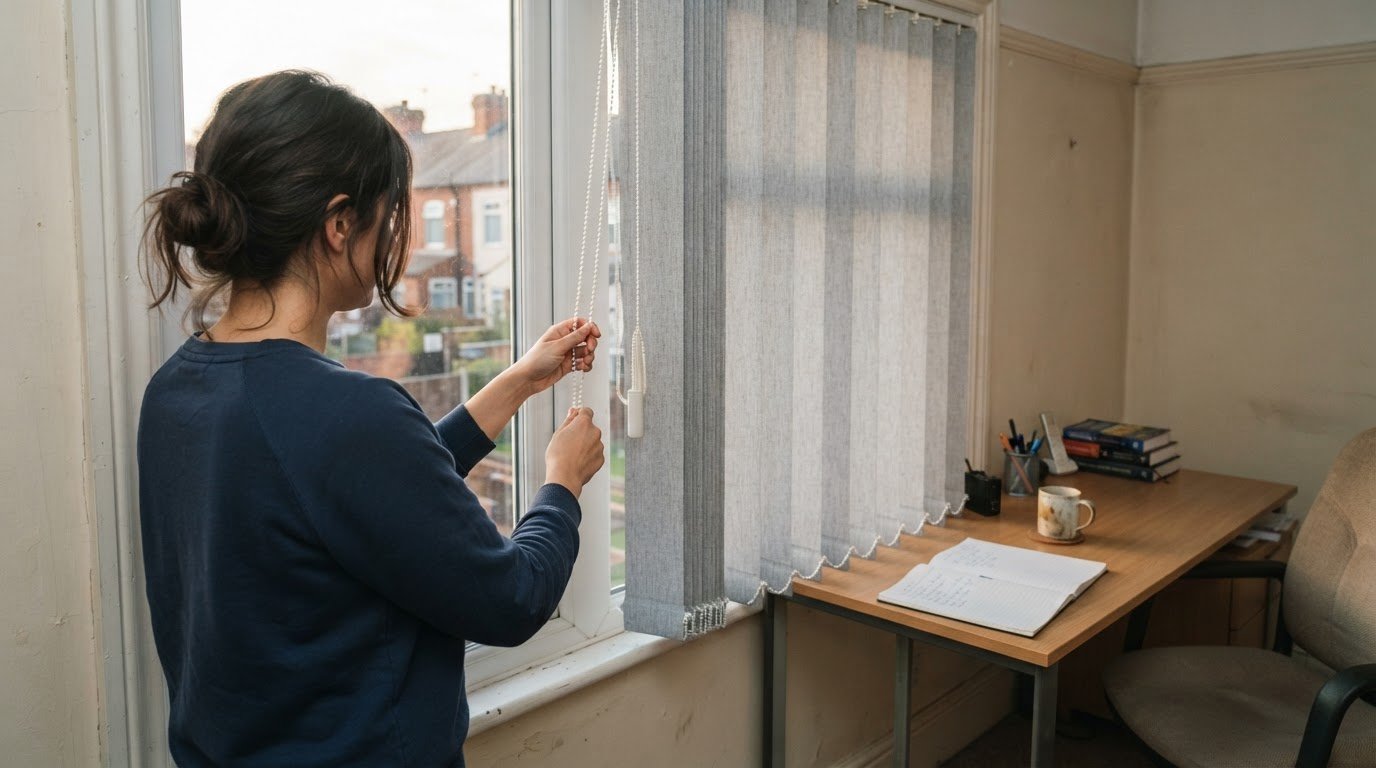
The darkest blind isn’t always the best answer to screen glare. Office blinds to reduce screen glare work best alongside desk positioning that keeps direct sunlight and bright window reflections away from the screen. Adjustable shading can soften or redirect incoming light while preserving useful daylight.
When reflections make a monitor harder to see, a simple fix is appealing, especially in a hybrid workspace where desks and daylight conditions differ between home and office. The right approach depends on where the light comes from, when glare appears and how each screen is positioned.
This article explains how blind styles and desk placement can work together, including what to consider in shared work areas and home offices. It also covers practical details to weigh before choosing office blinds, from how much daylight to retain to the layout and features of your windows.
Key Takeaways
- Identify when sunlight or reflections reach screens to pinpoint the glare problem before selecting shading.
- Choose adjustable blinds to redirect or soften light while retaining useful daylight where possible.
- Compare blind styles against your needs for light control, privacy, window access and ease of adjustment.
- Consider desk layout, window features and fixing space when planning a professional measure and fit.
Can Blinds Help Control Glare on Display Screen Equipment?
Yes. The Health and Safety Executive identifies directional light reflections as a source of screen glare and lists blinds as a possible control measure. Matching the blind to the room helps balance privacy, useful daylight and screen visibility.
Office Blind Types and Light Control
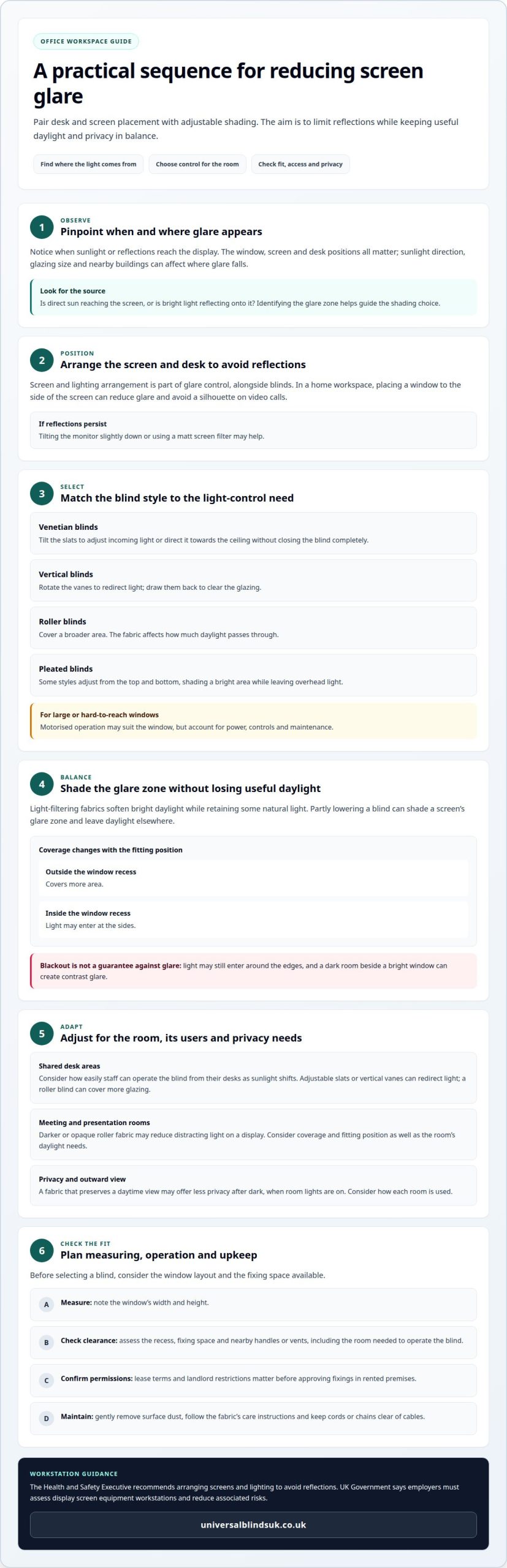
Venetian blinds offer adjustable light control: tilting their slats can direct incoming light towards the ceiling. Roller blinds provide broader coverage, with their fabrics affecting how much daylight enters. Some pleated blinds adjust from the top and bottom, shading a bright area while leaving overhead light. Professionals consider the workspace, privacy needs and appearance when recommending a suitable style.
Light Control in Meeting Rooms
For presentations, an opaque or darker roller fabric can reduce distracting light on the display. Blackout fabric may still let light in around the edges, so coverage and fitting position matter. A fabric that preserves an outward view during daylight may offer less privacy after dark, when room lights are on. Balance screen visibility with daylight and privacy needs.
Venetian slats can be tilted to redirect light without closing the blind completely. This can help balance screen visibility and daylight in workspaces. The Health and Safety Executive recommends arranging screens and lighting to avoid reflections. UK Government says employers must assess DSE workstations and reduce associated risks.
When measuring, consider the window’s width and height, then assess the recess, fixing space and nearby handles or vents. These details help determine the blind’s position and the clearance needed to operate it.
For maintenance, gently remove surface dust and follow the care instructions for the chosen fabric. Keeping cords or chains clear of cables helps maintain an orderly workspace.
Match privacy and light control to how each room is used. A meeting room for presentations may need stronger coverage than a desk area where staff benefit from daylight.
How Can Office Blinds Reduce Screen Glare in Hybrid Workspaces?
UK Government says employers must assess display screen equipment workstations and reduce associated risks. The Health and Safety Executive recommends arranging screens and lighting to avoid reflections. Blinds can help manage incoming light.
Balancing Glare Reduction and Daylight
The aim is to reduce reflections without making a shared workspace unnecessarily dim. Light-filtering fabrics soften bright daylight, while Venetian blinds let staff angle slats and adjust incoming light. Partly lowering a blind can shade a screen’s glare zone yet leave daylight elsewhere. Professionals consider screen position, when direct sun reaches it, and whether staff need an outward view.
Glare Reduction Across Workspaces
In an office where several people use desks beside the same window, the blind’s operation matters. Adjustable slats or vertical vanes can redirect light, while a roller blind can cover more glazing. At home, positioning a window to the side of the screen can reduce glare and avoid a silhouette on video calls. Blackout fabric isn’t automatically better: a dark room beside a bright window can still create contrast glare.
Focus and Screen Glare
Reflections can make screen content harder to see and distract from a task. Reducing the light reaching the display can improve visibility and help staff stay focused during desk work or video calls. A blind that adjusts as sunlight shifts gives people more control than fixed shading. Consider how easily staff can operate it from their desks.
Blinds are one part of the solution. If reflections persist, tilting the monitor slightly down or using a matt screen filter can help. For a tailored fit that limits gaps where sunlight enters, explore made-to-measure blinds for your workspace.
What Should Businesses Consider Before Buying Commercial Office Blinds?
Start with the glare problem, window layout and how each room is used. A desk beside a bright window needs different shading from a meeting room used for presentations.
Comparing Commercial Blind Types
Vertical blind vanes rotate to redirect light and draw back to clear the glazing. Venetian blinds offer fine adjustment by tilting the slats. Roller blinds cover a broader area, and the fabric determines how much light passes through. Motorised operation can suit large or hard-to-reach windows, but businesses should account for power, controls and maintenance. The right choice depends on the window and the required light control.
Screen Roller Blinds and Filtered Daylight
Light-filtering roller fabrics soften bright daylight while retaining some natural light. A matt finish can also help avoid secondary reflections. In meeting or TV rooms, darker or opaque fabric may improve screen visibility, but even blackout material can allow light around the edges. A roller blind fitted outside the window recess covers more area than one fitted inside, where light may enter at the sides.
Fabric Openness and Colour
There’s no single openness factor or fabric colour that suits every office. Consider how much daylight and outward view the room needs, alongside screen position and privacy. Screen fabrics that preserve a daytime view may offer less privacy after dark, when office lights are on. For presentations, darker fabric may help improve visibility on the display.
Made-to-measure blinds can reduce gaps where sunlight enters and reflects on screens, making them useful when windows or glare zones need precise coverage. When choosing between made-to-measure and ready-made blinds, weigh window dimensions, fixing space, operating access and the need to shade particular areas. Lease terms and landlord restrictions also matter before approving fixings in rented premises.
Assessing desk position and sunlight direction
Start by assessing the window, screen and desk positions. Sunlight direction, glazing size and nearby buildings all affect where glare appears. A desk facing a large window may receive direct light, while a side window can create reflections across the display. These details help identify which areas need shading.
Glare can change through the day, so consider when it occurs and which screens it reaches. Morning sunlight, for example, may affect one workstation, while later daylight reaches another. This pattern helps determine whether blinds need to cover the whole window or provide adjustable shading for a particular glare zone.
The professional also considers how people use the workspace. A screen facing a window may benefit from a different position, while placing a window to the side can help reduce glare and avoid a silhouette on video calls. In a garden-room office with glass on several sides, roof blinds paired with a side blind can address light from different directions.
Consider window features before measuring for blinds. Handles, vents, projecting sills and the way windows open can affect fixing position and clearance. For vertical blinds, account for the movement of inward-opening windows and doors within glazed areas, so the track position allows practical operation.
During the assessment, professionals bring together:
- Desk and screen positions in relation to each window.
- Sunlight patterns and the times glare reaches displays.
- Nearby buildings, glazing size and window orientation.
- Fixing space, handles, vents and window movement.
This process connects the observed glare to a suitable blind position and style. Made-to-measure blinds can reduce gaps that let sunlight reach screens. Arrange a professional blind measurement to plan shading around your office layout.
Universal Blinds UK
Universal Blinds UK helps businesses address office glare with made-to-measure blinds and custom shutters. When sunlight enters at particular angles or window dimensions make coverage difficult, a tailored option can suit the room’s layout and light-control needs.
Universal Blinds UK provides free on-site measuring to establish window dimensions and practical fixing positions, followed by professional fitting. This service can help offices with several workspaces, meeting rooms or different glazing conditions, where each area may need a distinct approach to shading and daylight.
Planning office shading? Contact Universal Blinds UK to discuss your workspace and arrange a free consultation and quote.
Plan shading around the way your team works
Hybrid workspaces change as teams move between desks, meeting areas and home offices. Before choosing office blinds to reduce screen glare, consider how the space will be used throughout the working day. A solution planned around one fixed desk may not suit staff who share workstations or use screens in different positions.
Think about the practical outcome you want in each area: softer daylight for everyday screen work, stronger coverage for presentations, or a balance between visibility and privacy. This gives measuring and fitting a clear purpose, rather than treating every window identically. Window layout, screen placement and staff routines can all shape the decision.
For a tailored discussion of workplace shading, contact Universal Blinds UK. A considered next step can help you plan a more comfortable workspace with confidence.
Frequently Asked Questions
Does Window Direction Affect Office Screen Glare?
Yes. Window direction affects when and where sunlight reaches a screen, while nearby buildings and glazing also influence the pattern. A workstation might be clear early in the day but develop reflections later as sunlight moves. A useful assessment records which desk and display are affected at different times, rather than selecting shading from compass direction alone.
Which types of office blinds reduce screen glare most effectively?
The most effective blind depends on the source of glare and how the room is used. Adjustable slats can suit a desk that needs changing light direction, while a roller blind can provide broader coverage. In a shared office, consider whether each person needs independent adjustment. The right choice balances screen visibility with daylight, privacy and the room’s practical use.
Are solar roller blinds or Venetian blinds better for preventing monitor glare?
Neither is always better. A solar roller fabric can soften daylight while preserving an outward view during working hours, though it may offer less privacy after dark. Venetian blinds let you tilt the slats to redirect light. Choose based on whether the main need is filtered daylight across a window or finer control over the light reaching a particular monitor.
How should a professional position office blinds to reduce screen glare?
A professional positions blinds to cover the glazing area that sends light onto the display, while allowing for the window’s handles, vents and movement. For example, an outside-recess fitting can cover more of the window than an inside-recess fitting. The final position also needs to suit the chosen blind’s operation and avoid obstructing inward-opening windows or nearby doors.
Do blackout blinds cause problems with natural light or workplace lighting?
Blackout blinds can reduce useful daylight, and they don’t always resolve contrast glare if the room becomes dim beside a bright window. They can suit presentations, but everyday desk areas may benefit from adjustable shading that admits some daylight. The Health and Safety Executive recommends arranging screens and lighting to avoid reflections, so consider both window light and room lighting.