

Boardroom Blinds for Offices: Light, Privacy and Blackout Options
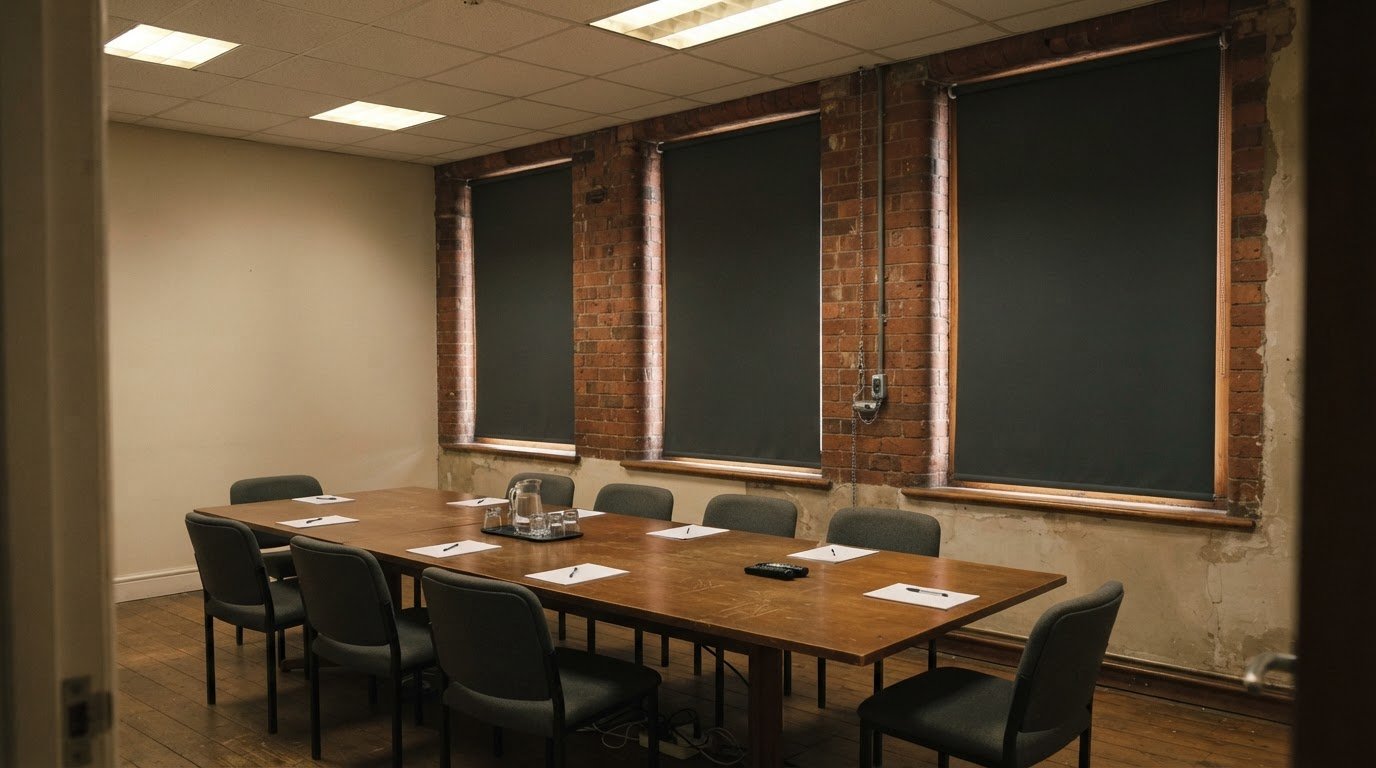
Could boardroom blinds that block daylight make presentations clearer but everyday meetings less comfortable? Choosing boardroom blinds for offices means balancing privacy and glare control with the natural light the room needs. Fire-retardant options may also be relevant, depending on the room’s requirements.
A calm, professional meeting space should still be flexible. Consider how the room is used: presentations may benefit from darker conditions, while discussions often work better with filtered daylight.
This guide explains how blackout options, adjustable light control and energy efficiency affect the decision. It also explores bespoke engineering and professional installation, including the details that help blinds work with the windows and the wider boardroom design.
Key Takeaways
- Match blackout coverage to presentation needs, while considering whether the room still needs daylight for everyday meetings.
- Compare how blind styles balance glare reduction, privacy and natural light, and how those choices affect the room’s energy use.
- Consider the window dimensions, operating needs and fitting requirements when planning a commercial installation.
- Explore how roller, Venetian and vertical blinds suit different meeting-room layouts and day-to-day use.
Blackout options
Blackout blinds block natural light for presentations and video calls. Choose based on how much darkness, privacy and flexibility your boardroom needs.
Blackout for Presentations and Video Calls
For projector or screen presentations, blackout blinds help reduce daylight that can wash out images. In video calls, they can also limit glare from bright windows behind participants. Check the whole window, including its edges: light may enter around a blind that does not closely cover the opening. Blackout coverage is useful when darkness matters more than filtered daylight.
Blind Fabrics and Materials
Blackout fabric is designed to block natural light, while ordinary roller fabric can soften daylight without making the room dark. Wood and aluminium are solid options for Venetian-style blinds, where angled slats give adjustable light control rather than full blackout. For a boardroom that needs both modes, consider a blackout blind for presentations and an adjustable blind for everyday meetings.
Roller blinds provide a simple, single-panel option for a broad office window; vertical blinds use rotating louvres to adjust incoming light. Venetian blinds tilt horizontal slats, while wooden blinds bring a more substantial finish. Pleated blinds can also be selected with blackout material. Match the mechanism to the task: a screen-led presentation may need blackout coverage, while a meeting with shared notes may benefit from adjustable daylight.
A dark room doesn’t always need blackout blinds. If a boardroom has limited daylight, a blackout covering may make it feel more enclosed; lighter fabrics or adjustable slats can preserve available natural light. For maintenance, dust blinds regularly with a soft cloth or suitable brush attachment. Wipe hard wood or aluminium surfaces gently, and clean fabric according to its care instructions. This keeps dust from accumulating on the office window covering without risking damage to its material.
Comparing blind functionality, light control and energy efficiency
Compare how each blind manages daylight, privacy and warmth. A wide office window, a nearby computer screen and the room’s meeting schedule all affect the best fit.
Lighting, Privacy and Temperature Control
Blinds influence how much sunlight enters and how exposed a meeting room feels. Vertical blinds adjust their louvres, while venetian blinds tilt slats to direct daylight and limit views inside. For temperature control, lowering a blind can reduce direct sunlight reaching desks near a bright window. Selecting a covering for the window’s full width can also reduce light entering around its edges.
Meeting Room Light and Privacy Control
Consider a typical meeting: a confidential discussion may need closed coverage, while a collaborative session may benefit from filtered daylight. Venetian blinds offer adjustable slats, so staff can balance outside views with privacy. Wooden blinds can complement a stylish boardroom, but the key question is whether their light control suits the room’s changing needs.
Natural Light and Screen Glare
Daylight supports a bright workspace, but direct sun can reflect on a computer screen and make information harder to see. Adjusting vertical or venetian blinds can redirect light without darkening the entire room. For spaces with changing sunlight, automated blinds can respond to daylight levels or occupancy, helping maintain consistent light control as meetings and screen use change.
For a broad office window, a wider blind can cover more of the opening and reduce gaps where light enters at the edges. Consider the blind’s coverage alongside screen position, meeting-table layout and privacy needs. These details can help you decide whether one wide covering or several sections will suit the room.
Temperature performance depends on sunlight, window exposure and how blinds are used throughout the day. A free measuring service can help assess the window dimensions when planning made-to-measure coverage.
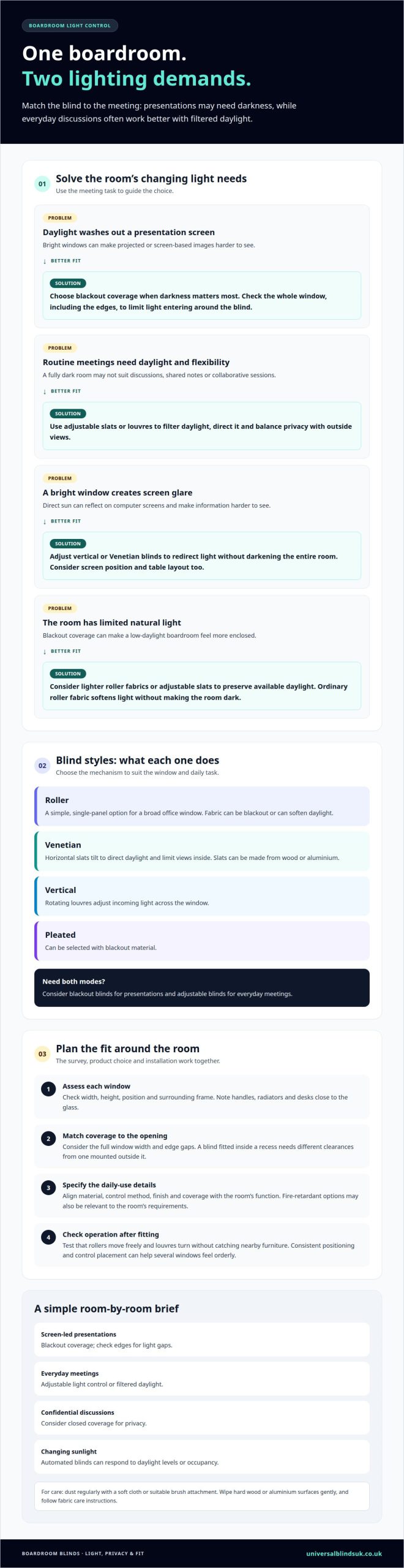
Commercial blind contractors and professional installation
A commercial blind project starts with how each room functions. A boardroom used for presentations may need blackout coverage, while a shared workspace may need adjustable daylight and privacy. A contractor can assess the window layout, intended use and desired finish together, helping the specification suit the room rather than choosing fabrics or colours in isolation.
Accurate measuring is essential for a made-to-measure fit. Each office window needs to be assessed, including its width, height, position and surrounding frame. Also consider obstacles such as handles, radiators or desks close to the glass. A blind fitted inside a recess, for example, needs different clearances from one mounted outside it.
Next, match the product and fabric to the daily task. Blackout blinds can support screen-led presentations, while adjustable blinds offer a more flexible balance for routine meetings. A durable fabric may suit a frequently used meeting space, and a coordinated colour can sit comfortably within the existing interior. The key is to align the material, control method and coverage with the desired function.
Installation involves securing the brackets, fitting the blind and testing its operation. A contractor can check that a roller moves freely or that vertical louvres turn without catching nearby furniture. For several windows, consistent positioning and control placement help the room feel orderly. These practical checks matter in a workspace where blinds are adjusted throughout the day.
Before work begins, decide which rooms need blackout coverage, which need adjustable light, and whether the finish should be consistent throughout. A professional fitting service can coordinate measurements and installation for made-to-measure blinds. Treat the survey, product choice and fitting as connected steps to avoid a mismatch between the blind and the way the boardroom is used.
What are the benefits of roller, Venetian and vertical blinds for meeting rooms?
Each style manages meeting-room light differently. Compare how you use the room, from screen presentations to smaller discussions, before choosing. The best boardroom blinds for offices should suit both the windows and the meetings held there.
Roller blinds use a single fabric panel for a clean, uncluttered finish. They suit rooms where a simple covering is preferred, and the fabric can filter daylight or provide blackout coverage. A boardroom used for presentations may benefit from blackout fabric, while a shared meeting space may need a lighter option.
Venetian blinds use horizontal slats that tilt to adjust incoming light. This lets you reduce glare on a display while retaining some daylight, or angle the slats for greater privacy during a confidential discussion. Aluminium offers a neat, practical appearance, while wooden slats create a warmer finish. Choose this style when flexible adjustment matters throughout the day.
Vertical blinds have adjustable louvres that manage daylight and outside views. They suit broad windows where the room needs adaptable coverage, such as a meeting space facing a busy walkway. Their straightforward construction is easy to clean and maintain, which can help in frequently used rooms. The louvres also redirect light without raising the whole blind.
Consider operation as well as appearance. A roller blind moves as a single panel, while Venetian and vertical blinds let you fine-tune light with slats or louvres. Check how nearby tables, screens and window handles affect access. One consistent style can create a coordinated finish across several windows, while different styles may suit rooms with distinct purposes.
For tailored coverage across different meeting-room windows, explore made-to-measure blinds. This helps you select boardroom blinds for offices that suit your layout and preferred level of light control.
Universal Blinds UK
Universal Blinds UK helps you find a practical window solution for your boardroom, from managing daylight to creating privacy. Made-to-measure blinds can be tailored to your windows and how you use the space, while custom shutters offer another option when their style suits the room.
The free measuring service establishes the dimensions for a considered fit, and professional fitting completes the installation. This is useful for boardrooms with several windows, unusual layouts or different needs for presentations and everyday meetings. You can discuss the room’s function, preferred light control and finish as part of the planning.
If you’re planning new boardroom window coverings, contact Universal Blinds UK to discuss your requirements.
Plan for the way your boardroom will evolve
A boardroom’s needs can change as teams, technology and meeting formats develop. Before deciding, consider how the space will be used beyond its next presentation. Will it host hybrid calls, collaborative workshops or confidential discussions? A clear brief helps you choose blinds that remain practical as the room’s role changes.
The best boardroom blinds for offices are part of a wider room plan, not just a finishing touch. Consider how the window covering will sit alongside screens, lighting and the interior, then choose an option that supports the experience you want in the space.
If you’re ready to discuss your boardroom requirements, contact Universal Blinds UK. A considered next step can help you move from ideas to a solution tailored to your workplace.
Frequently Asked Questions
Do office blinds need to be fire-retardant?
For a UK commercial space, include fire performance in the building’s fire-risk assessment and project specification. The appropriate blind fabric depends on those requirements and where the blinds will be installed. A boardroom in a larger office building, for example, may have different specification needs from a home office. Include the room’s intended use when planning the window covering.
How Can Office Blinds Impact The Workplace?
Office blinds can help rooms adapt to different tasks and working patterns. A meeting room, for example, can be set up for a screen presentation, then adjusted for a face-to-face discussion. A consistent finish across shared spaces can also support a considered interior scheme. Think about who uses each room and how the blinds fit into its everyday routine.
What types of blinds are best for office boardrooms?
The best type depends on the windows and how the boardroom is used. Roller blinds offer a simple, streamlined finish, while Venetian blinds allow slat adjustment. Vertical blinds can suit broad windows, and wooden blinds offer a more substantial appearance. For a room used for different meeting formats, consider whether flexible adjustment or a straightforward single-panel covering matters more.
Which blinds reduce glare on screens and video calls?
Venetian and vertical blinds can be adjusted to change how daylight enters and help reduce direct reflections on a display. Tilt Venetian slats or turn vertical louvres to redirect light while keeping some daylight in the room. Window position and screen placement also matter. Consider where people sit during video calls so bright windows do not dominate the camera view.
What blackout blinds are suitable for boardrooms and presentations?
Blackout roller blinds are a practical option when a boardroom needs a darker setting for projected slides or video. Choose coverage suited to the window’s shape and position, as light entering around the edges can affect the result. A room used for both presentations and regular meetings may benefit from pairing blackout coverage with a separate adjustable blind.
What colours and materials work best for a professional boardroom?
Choose colours and materials that complement the room’s existing finishes, such as the meeting table, flooring and wall colour. Neutral tones can create a restrained look, while a carefully chosen accent can echo details in the interior. Fabric, aluminium and wood each have a distinct appearance. Consider how the material will look beside screens and other equipment in the room.